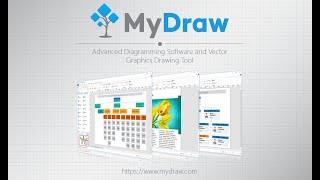
Open and Edit Visio Files Without a Subscription
Get professional diagramming software you pay for once and use on Windows or Mac. Map out processes, plan networks, chart your team and keep working with the Visio drawings you already have, all in a familiar Office-style workspace that takes little time to learn.
Diagrams for Every Kind of Work
-
499 Templates: Start from professionally designed templates instead of a blank page.
-
346 Shape Libraries: Drag in thousands of smart and clip-art shapes, with about 10 to 20 in each library.
-
Flowcharts & BPMN: Map workflows and business processes step by step.
-
Network, Org & More: Build network and IT diagrams, org charts, floor plans, mind maps and other visual documents. Network equipment shapes are a free separate download.
Built Around Your Visio Files
-
Visio Compatibility: Open and save Visio drawings and stencils while keeping their details intact.
-
Mac & Windows: Open, edit and save Visio (.vsdx) files on Windows 10/11 or macOS, and use your activations on any mix of both.
-
Print & PDF Export: Print your diagrams or export them as PDFs to share with anyone.
-
Works Offline: Keep working without an internet connection once your license is activated.
Pro Tools in a Familiar Interface
-
Office-Style Interface: Work in a ribbon layout inspired by Microsoft Office, so getting started is quick.
-
Rich Text & Tables: Format text and add tables right inside your diagrams.
-
Automatic Layouts: Arrange shapes and connections neatly with a click.
-
Composite Solid Geometry & Barcodes: Combine shapes into custom geometry and add barcodes to your drawings.
-
GPU-Accelerated Rendering: Keep editing responsive with fast, GPU-accelerated graphics.
-
Multiple Languages: Use MyDraw in English, German, Spanish and many other languages.
Social Proof
Rated 4.3/5 from 133 reviews on Capterra.
★★★★★
"Solid replacement for MS Visio"
Retired technical architect, Capterra